Timing
Aligning lighting changes with lighting on virtual characters.
→ Delay

 SIGNAL PROCESSOR
Signal processing and routing software for network DMX.
Delay compensation, attenuation, curve correction, merge and routing for ArtNet and sACN, in one application.
Real-time DMX processing engine written in Rust.
WHY IT EXISTS
Born on live and xR productions, where "each device ramps up differently" and "real fixtures and on-screen lighting need to match." Each function answers a specific requirement on site.
Aligning lighting changes with lighting on virtual characters.
→ DelayA fixed attenuation made it hard to match real and virtual, so attenuation referenced to another signal was added.
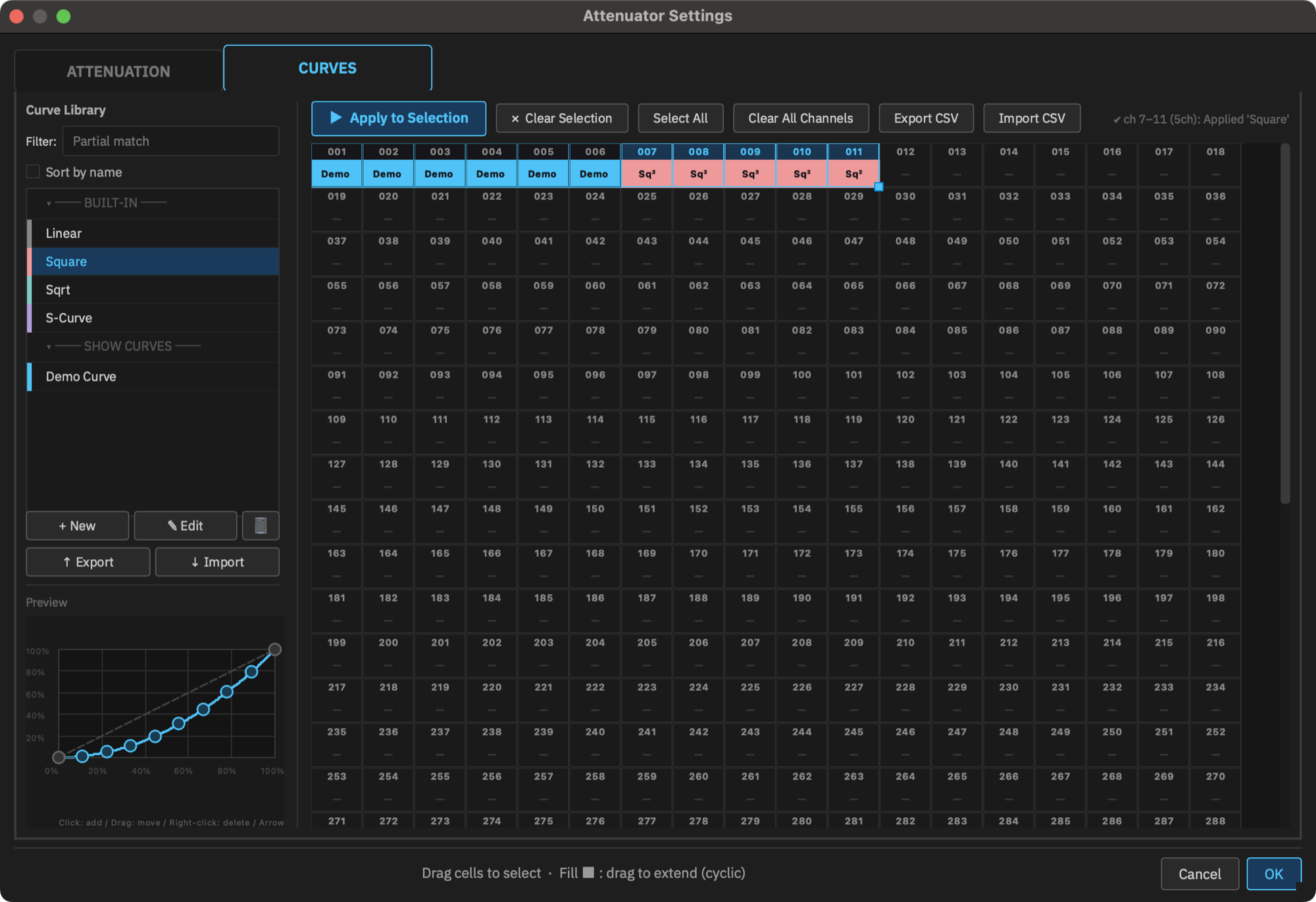
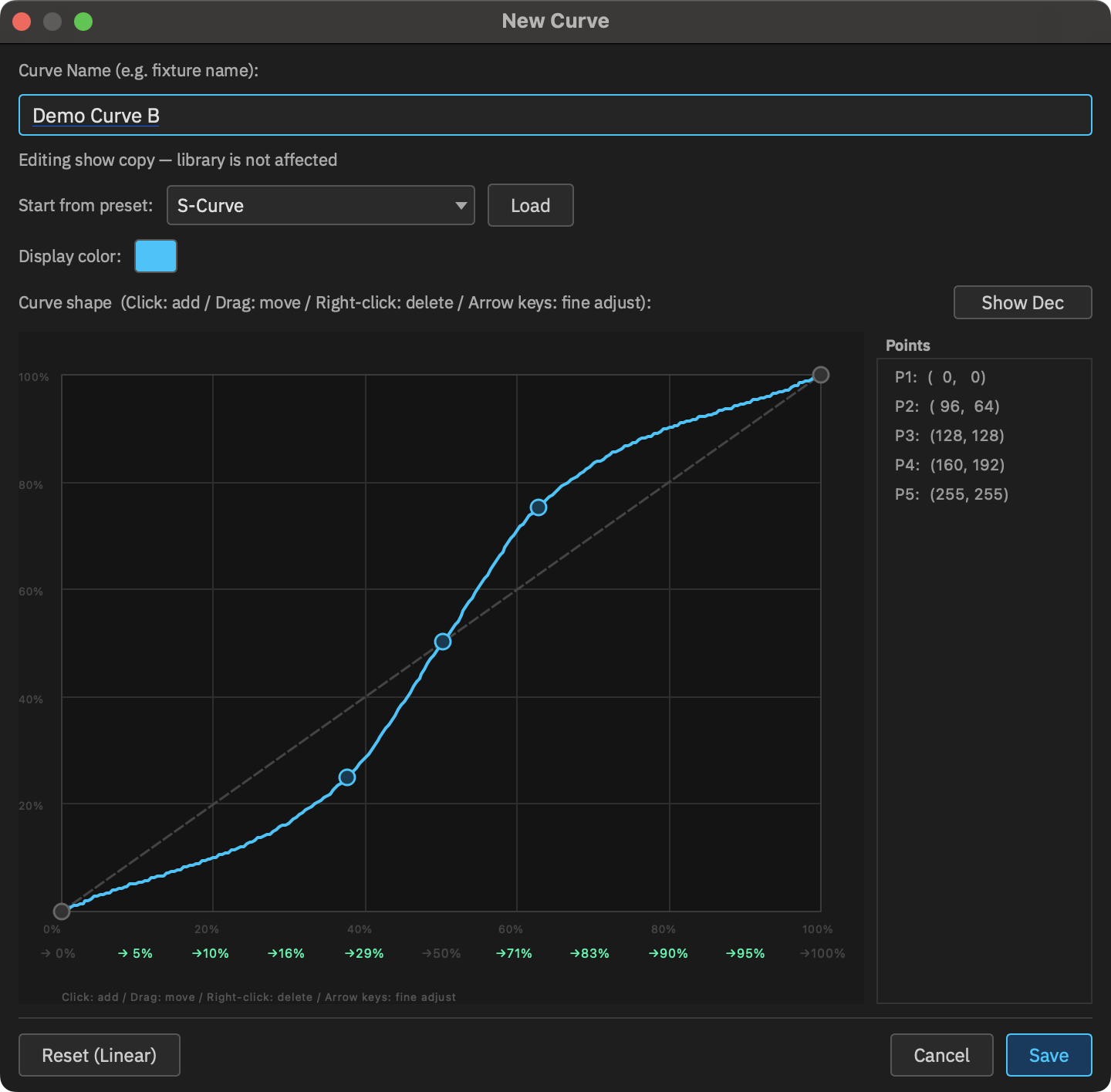
→ AttenuatorWhere attenuation alone cannot match the color, per-channel curve assignment allows finer adjustment.
→ CurveWHAT IT DOES
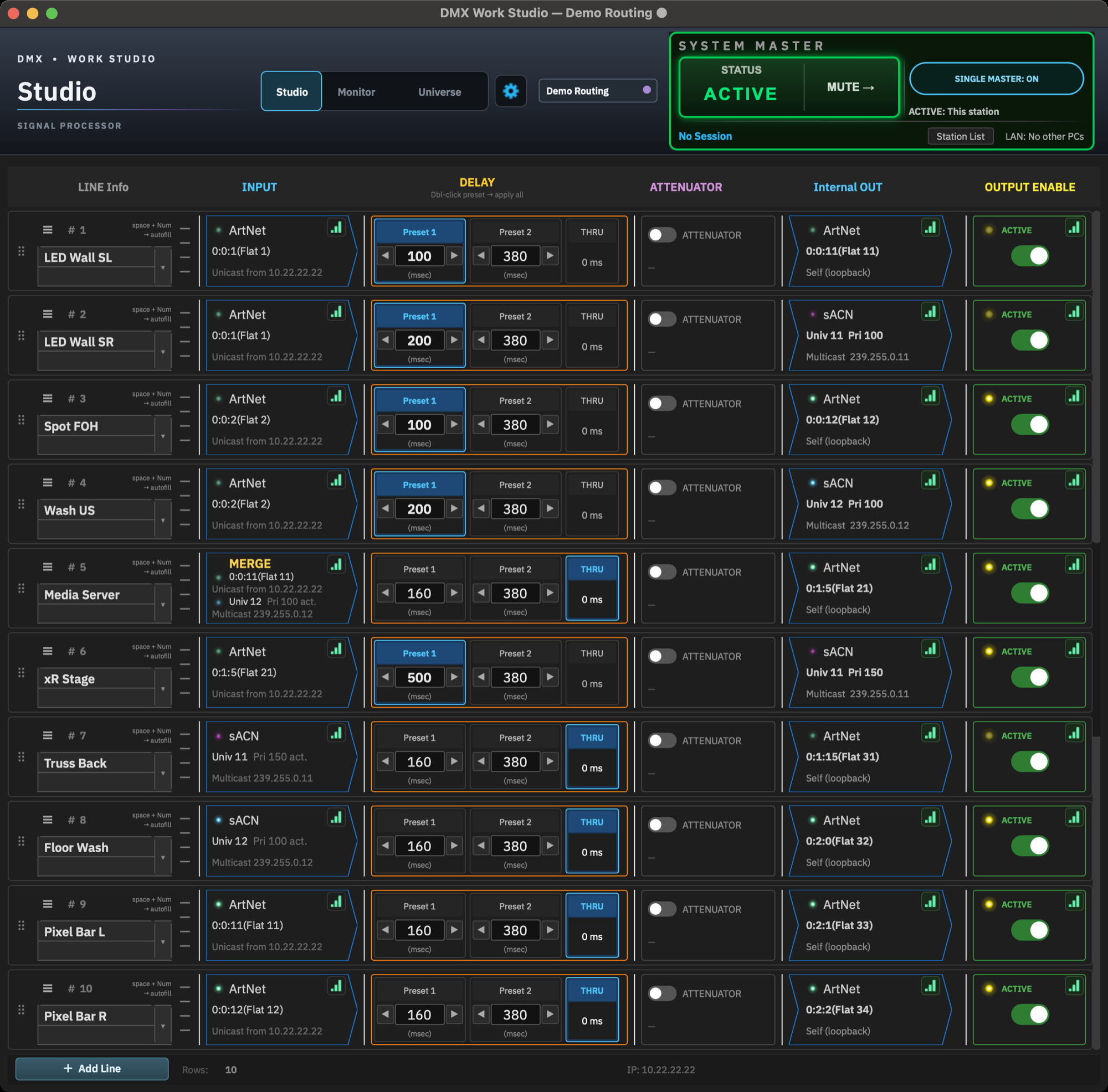
Processing is organized in lines. Each line receives, processes and sends one signal. ArtNet and sACN are handled simultaneously, with network interfaces assignable per protocol.
ArtNet or sACN. Up to two sources can be merged per line.
A UI built for use on site. DMX delay set per line, from 0 to 3000 ms.
Per-channel master, or attenuation referenced to the values of another ArtNet / sACN universe. Curves can be applied per channel.
ArtNet or sACN. Behavior on input loss is set with Fail-Safe.
Overall operation of all lines.
CURVE
For colors that uniform attenuation cannot match, a curve can be assigned to each channel. User curves made in Curve Editor are kept in a library. Curves in use are stored in the show file.
ONE WINDOW
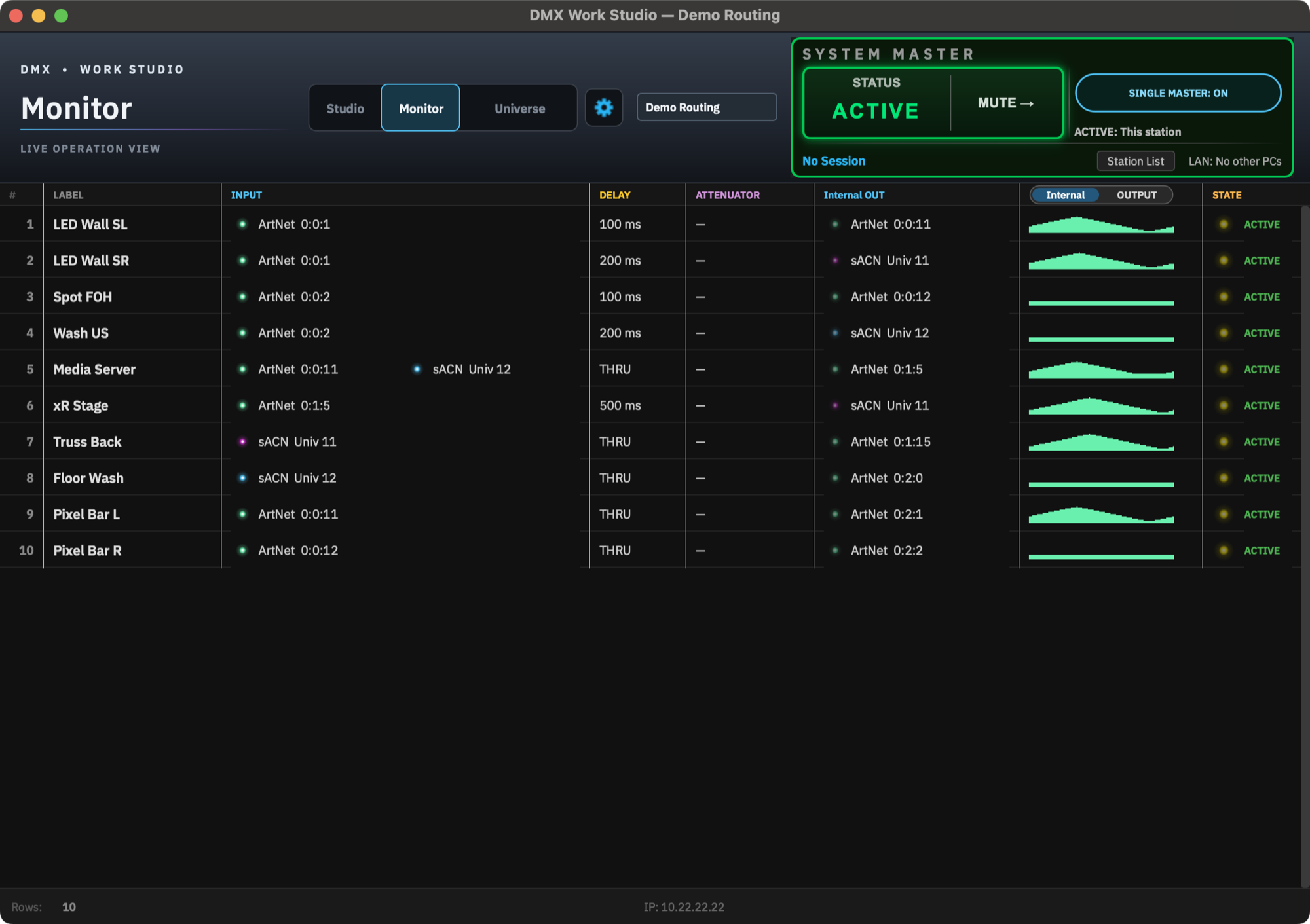
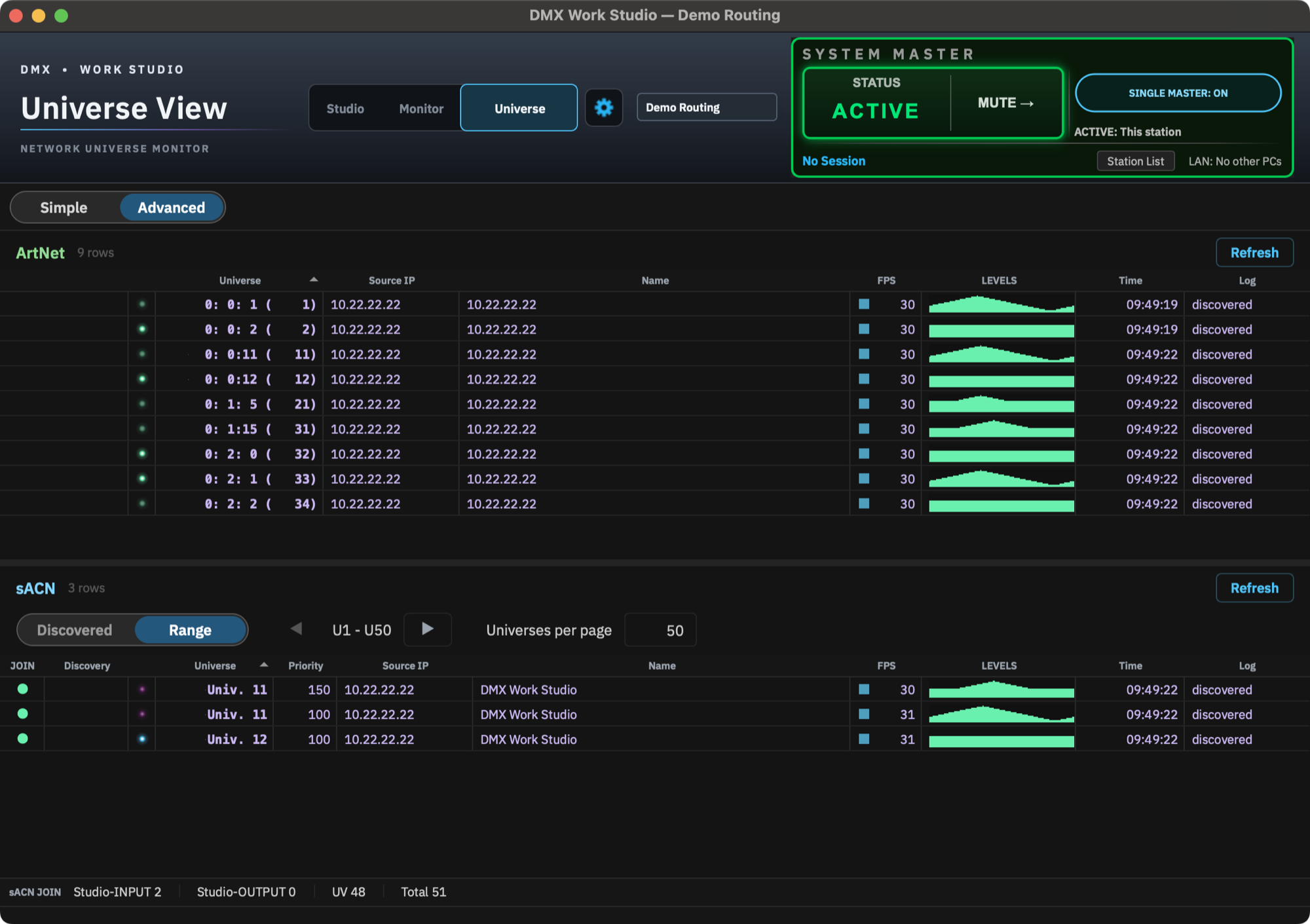
Three views in one window.
Building and editing lines.
Show-time view. Level bars for all lines; the output side shows the signal actually on the network.
An overview of the ArtNet and sACN signals arriving at this PC, listed by source. Both protocols can be viewed side by side while kept on separate network interfaces.
IN THE FIELD
Designed with hot-standby operation across multiple machines in mind. Machines with the same Session ID are interlocked so they never output DMX at the same time. Switching between PCs is done by the operator.
Save, load and export to USB in Show Manager. Show files can be sent to another PC over the LAN.
ArtNet and sACN can be handled simultaneously, each isolated* on its own interface, so it can also serve as DMX routing software.
* When using two or more NICs
STATUS
DMX Work Studio is in closed beta with lighting teams in the field. A public beta is in preparation. Details on availability will be announced here.